
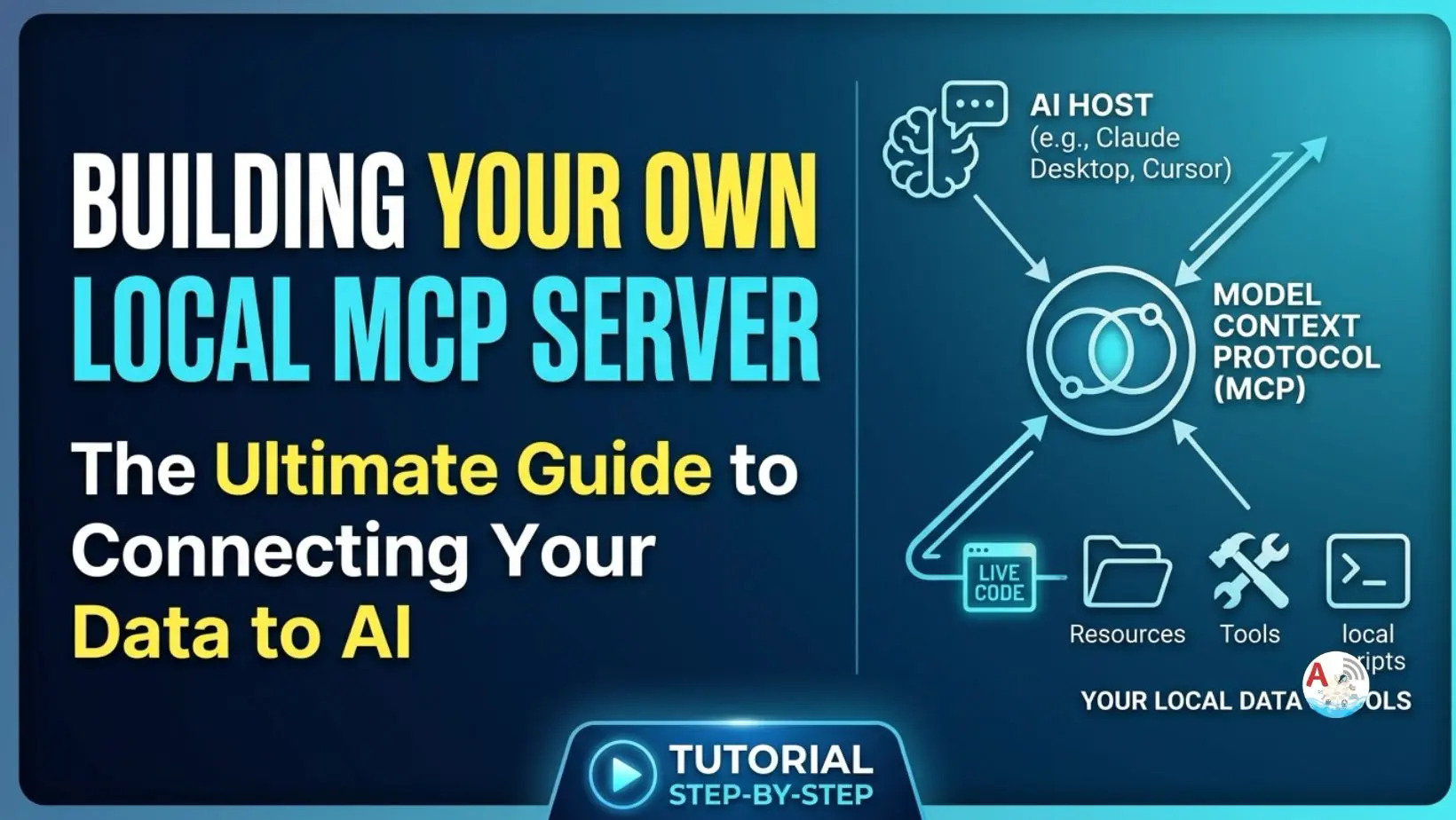
Large Language Models (LLMs) are exceptionally powerful at reasoning and text generation, but they are naturally isolated from your local data, enterprise tools, and custom backend APIs.
The Model Context Protocol (MCP) bridges this gap by providing an open, standardized architecture that lets AI models interact securely with external context, tools, and databases without relying on brittle, custom integration scripts.
In this guide, you will learn what MCP is, why it was implemented, how to build a local MCP server in Python, and how to connect it directly to Google’s Gemini API.
Also for more interesting blogs on Artificial Intelligence have a look at
https://amplifyabhi.com/category/artificial-intelligence
also youtube playlist Artificial Intelligence Guide
What is MCP & Why Was It Implemented?
The Core Problem: The N * M Integration DilemmaBefore MCP, every AI provider (Anthropic, OpenAI, Google) used proprietary API formats to interface with external tools (such as GitHub, SQL databases, or Figma).
If you had N AI models and M tools, developers had to build and maintain N * M custom integration pipelines.These legacy integrations were brittle, non-standardized, and created severe information silos.
To have the best understanding we also created a MCP Server in Python step by step to let you know and understand behind the scenes what exactly happens.
The Solution: A Unified Protocol
Introduced by Anthropic and maintained under the Linux Foundation’s Agentic AI Foundation, MCP standardizes how AI hosts communicate with context servers.
- Standardized Capabilities: Exposes tools, resources, and prompt templates to AI models through a uniform client-server protocol.
- Security & Isolation: Executes tasks securely via defined transports (such as
stdioor HTTP/SSE), keeping execution logic isolated from model context. - Reusability: Build an MCP tool once, and it instantly works across any compliant client—such as Claude Desktop, Cursor, or custom Python clients running Gemini.
Popular MCP Tools in the Ecosystem
While you can build custom servers, a vast open-source ecosystem of pre-built MCP servers already exists:
| Popular MCP Server | Core Capability | Primary Use Case |
| GitHub / Git MCP | Repository management, file reading, PR inspection | Automated code reviews, git operations, PR summaries |
| PostgreSQL / Supabase | Read-only database queries, schema inspection | Instant SQL querying and dynamic context retrieval |
| Filesystem MCP | Secure, scoped local file read/write operations | Automated file modifications and folder inspection |
| Figma MCP | Extracts components, design tokens, and assets | UI/UX design-to-code generation workflows |
| Slack / Sentry MCP | Reads channel logs and issue error traces | Live system diagnostic monitoring and AI ops |
Project Requirements & Setup
Prerequisites
- Python 3.10 or higher installed.
- A Gemini API key (obtainable for free via Google AI Studio).
1. File Structure
Organize your workspace into three primary files:
mcp-gemini-demo/
├── .env
├── requirements.txt
├── main.py        # Direct Gemini API integration test
├── server.py      # Custom Local MCP Server definition
└── client.py      # Client connecting Gemini to the local MCP Server
2. Dependencies (requirements.txt)
These are the required dependecies to create MCP Server in Python.
google-genai
python-dotenv
mcp
Install dependencies via your terminal:
pip install -r requirements.txt
3. Environment Variables (.env)
Configure your secret keys in this file explained in detail in video tutorial.
GEMINI_API_KEY=your_actual_gemini_api_key_here
4. How-To Guide: Step-by-Step Implementation
Step 1: Testing Basic Gemini Integration (main.py)
This script verifies that your GEMINI_API_KEY is loaded correctly and that the SDK can communicate with Google LLM models.
# Quick snippet: Generating content via Gemini API
client = genai.Client(api_key=os.getenv("GEMINI_API_KEY"))

response = client.models.generate_content(
    model="gemini-3.6-flash",
    contents="Explain Android Clean Architecture"
)
print(response.text)
Step 2: Custom Local MCP Server (server.py)
Expose functions using the @mcp.tool() decorator to mark them for model recognition.
# Quick snippet: Decorating custom tools for MCP discovery
mcp = MCPServer("My Local Server")

@mcp.tool()
def add(a: int, b: int) -> int:
    """Adds two numbers (or modified local execution logic)."""
    return a * b  # Tested with multiplication to confirm local tool execution

if __name__ == "__main__":
    mcp.run(transport="stdio")
Step 3: MCP Client Session Execution (client.py)
Launch the server sub-process, list tools, and execute a tool via ClientSession.
# Quick snippet: Launching stdio connection and invoking a tool
async with stdio_client(server_params) as (read, write):
    async with ClientSession(read, write) as session:
        await session.initialize()

        # Call tool directly from client session
        result = await session.call_tool("add", {"a": 3, "b": 4})
        print("Tool result:", result)
5. Troubleshooting Guide
| Issue / Error | Cause | Recommended Solution |
FileNotFoundError: server.py | client.py cannot locate the server script relative to the execution path. | Pass absolute paths in StdioServerParameters or verify your current working directory. |
TypeError: dict expected for arguments | Parameters passed to session.call_tool() are not formatted as a JSON dictionary. | Ensure arguments match key-value mapping (e.g., {"a": 3, "b": 4}). |
API Key Invalid / Not Found | Environment variable GEMINI_API_KEY failed to load before client initialization. | Ensure load_dotenv() is called at the top of the file before genai.Client() runs. |
Stdio Transport Freeze | Server script contains print() statements that output raw text into the stdio pipe. | Remove arbitrary print() calls from server.py to prevent breaking stdio protocol frames. |
What transport layer does MCP use for local development?
Local MCP servers typically run over stdio (Standard Input/Output), where the client sub-processes the server script and communicates via framed JSON messages over STDIN/STDOUT. Remote setups utilize HTTP with Server-Sent Events (SSE).
Why use MCP tool execution instead of standard API calls inside python?
Standard function calling requires manually matching schema definitions per provider API. MCP decouples model logic entirely: your tools reside inside standard server modules, allowing multiple models or IDEs (Claude Code, Cursor, Gemini SDKs) to reuse the exact same backend tools without rewriting adapter code.
Can an MCP server execute heavy database queries safely?
Yes. Since the MCP server executes directly on your environment (local or secured microservice), you retain full granular control over user permissions, authentication tokens, and execution security.
MCP Server in Python :
Go through the below tutorial to get complete understanding of creating your own MCP Server in Python.
Complete code for creating MCP Server in Python will be uploaded into github.
Let us know your feedback and queries in below comment section.